

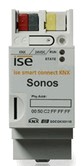
ise smart connect KNX Sonos
INFORMACIÓN DEL FABRICANTE
| Brand | : ISE |
| Reference | : 1-0001-002 |
| Family | : gateways |
| Color | : |
| Warranty | : 2 years |
| Return allowed | : No |
MORE MANUFACTURER INFORMATION
| Price group | : 1 |
| EAN code | : 2000000020532 |
| NC/TARIC code | : 85176200 |
| Country of origin | : DE |
| Net weight | : 217 g |
| Gross weight | : 217 g |
| Length | : 15 cm |
| Width | : 10 cm |
| Height | : 8.5 cm |
SPECIFICATIONS
- INTERFACE
- KNX
- GATEWAY TYPE
- Audio-video
- A/V GATEWAY PROTOCOL
- SONOS
- AUDIO/VIDEO TYPE
- GatewaysMultiroomSONOS
DESCRIPCIÓN
Controlling up to 10 Sonos master devices plus up to 50 slaves simply via the KNX- no longer a dream of the future thanks to this adapter newcomer by ise! Choose to control each room separately or the complete house via the party mode.
Crystal clear hi-fi sound and nearly unlimited sound scenarios: the Sonos sound system enhances digital music with a varied landscape of wireless speakers and audio systems. This sound wonder only has one drawback: until now, it had to be controlled via a special app, especially during zone use; a handicap for all KNX users!
But now, the ise smart connect KNX Sonos connects this sound family to the world of KNX and makes it even easier to handle. With dynamic zone formation, up to five Sonos master devices can be connected via IP and each can be linked with up to five Slave units. Hereby, either each master device is assigned its own music program or one master device controls the complete device set-up.
Features:
control to play playlists
title, artist, and album in running text on KNX text objects.
total volume control of master, slave, and the complete group
dynamic zone building for up to five zones with one master each and up to five slave devices via KNX objects
playing music from the SD card in ise smart connect KNX Sonos
for ETS version 4.2 resp. 5.0.2 or higher
GALERÍA
Envíanos tu consulta sobre este producto
Inicia sesión para enviar una consulta.
Inicia sesión para enviar una valoración.
VALORACIONES
Cargando valoraciones…
Frequently asked questions about this product
1How to control Master / Slave devices with group objects
The IP addresses of the Master devices and the Slaves belonging to each group are defined in the ETS application program. To be able to control the slaves of a certain group with the group objects, it must be ensured that they are included within the group using objects 40, 50, 60, 70 and 80, for example for group 1 (Group 1 - Add/Remove slave X to/from this Master-Slave group). Sonos uses dynamic groups and by default the Slaves devices are not included in the group, so you have to add them by writing the value 1 in the respective objects.
Ask us and we'll answer. If it's a question many people ask, we'll publish it on this page.