You have an account to search for products, save them and write to us. You don't buy yet: for that you need to register as a customer.
#Create your account
The account is created from the user menu in the header, without leaving the page you are on.
The registration does not have its own page: it opens from the user icon in the header, on any screen of the website, and appears over what you were viewing. This way you don't lose what you were looking at.
With the newly created account you can now search, save favorites and write to us. Professional prices and purchase come later, with registration as a customer.
- Step 1
Open the user menu
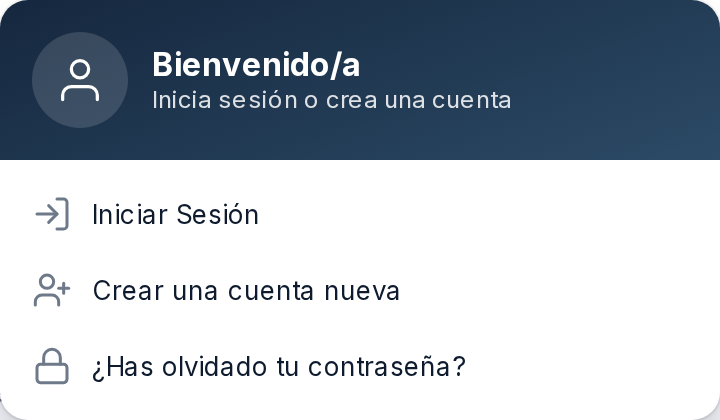
Click the user icon on the right side of the header. The welcome panel will unfold.

- Step 2
Choose to create an account
In the panel, the text offers you to log in or create a new account.
- Step 3
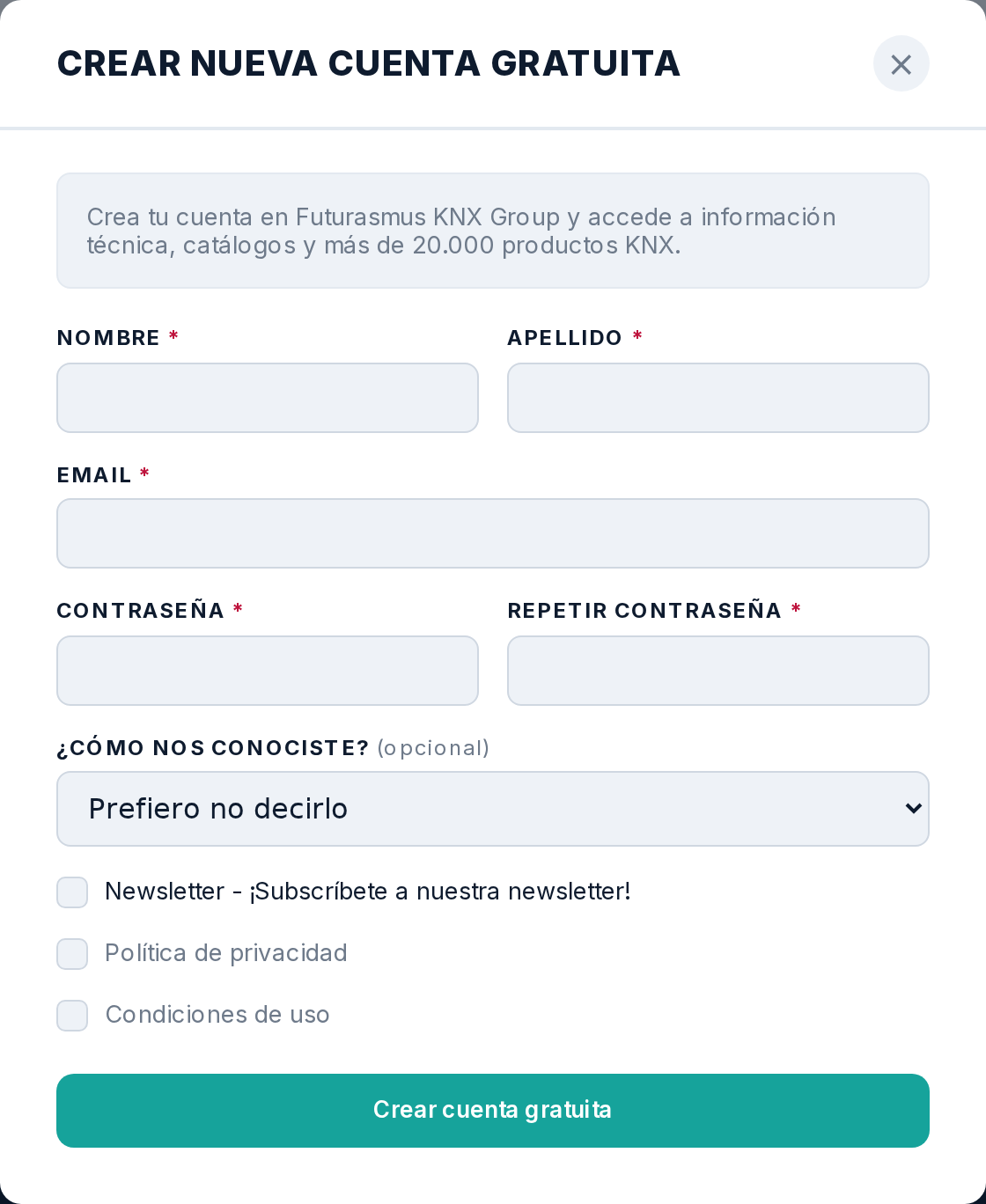
Fill in your data and submit
Name, surname, email and password twice. You must also check «Privacy Policy» and «Terms of Use»: they are mandatory and without them the button will not complete the registration. The newsletter is optional.
#Validate the email
We send you an email with a link: until you click it, the account exists but is not confirmed.
As soon as you register, a confirmation email is sent. The link it contains is what tells us that this address is really yours.
If it doesn't arrive, the first thing to check is your spam folder: it is by far the most common reason.
#Recover or change password
It is recovered from the same header panel, and changed from your profile once you have logged in.
If you cannot log in, there is an option on the access panel to recover your password: you request the link with your email and from there you set it again.
If you are already logged in and just want to change it, it is done from your profile, without going through email.
#Search products
The search engine understands references, brands and descriptions, and has a way to ask in normal language.
The header search engine leads to the results page, with filters on one side.
In addition to the usual search engine, there is a mode where you ask in your own words and the assistant answers you. It is useful when you don't know the reference but you do know what you need the device to do.
#Read a product sheet
The product sheet gathers the description, features, documentation and frequently asked questions for that product.
Each product has its own page, with its downloadable documentation and, if available, the frequently asked questions that the technical team has published about it.
The price you see depends on who you are: without a customer account, the general rate is displayed, not the professional one.
#Favorites and lists
Save individual products to favorites, or group them into named lists to reuse them.
Favorites is the quick mark: the product is saved and you have it in your user area.
Lists are for repeating items. If you always set up the same type of installation, a list with those products saves you from having to search for them one by one again.
#Comment on products
You can leave comments on products, and see yours gathered in your user area.
The comments you write are collected in your user area, so you can review them without searching for them on the product pages.
#Write to us
Messages with us remain in your user area, with their thread, not loose in your email.
Your user area has a message inbox: what you write to us and what we reply remains there, in its thread, and does not get lost among the rest of the mail.
#Change from user to customer
To see professional prices and buy, you must request to register as a customer, which we review manually.
The user account does not purchase. To buy, you must request to register as a customer, providing the company's tax details.
That request is reviewed by a person from our team: it is not automatic. As soon as it is accepted, the prices you see change and the shopping cart opens.